
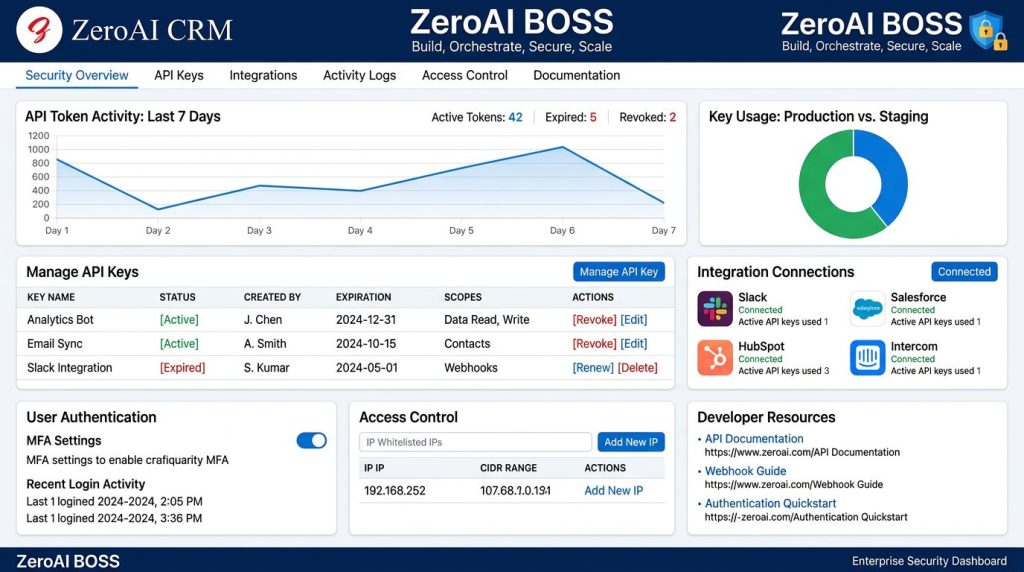
Secure Connections for the AI-Powered Business Era
Modern businesses depend on integrations.
Your CRM connects with payment systems, marketing platforms, automation tools, AI services, customer applications, and internal business systems.
But every connection creates a responsibility:
How do you give applications access while keeping your business data protected?
At ZeroAI CRM, we believe integrations should be powerful without sacrificing security.
That is why we introduced Secure API Access — a complete token management system designed to give businesses secure, controlled, and transparent access to their CRM APIs.
With Secure API Access, businesses can manage:
- Cryptographically secure API tokens
- Integration permissions
- Activity monitoring
- IP restrictions
- API documentation
- Usage tracking
All from one centralized dashboard inside ZeroAI CRM.
The Challenge: Every Integration Needs Secure Access
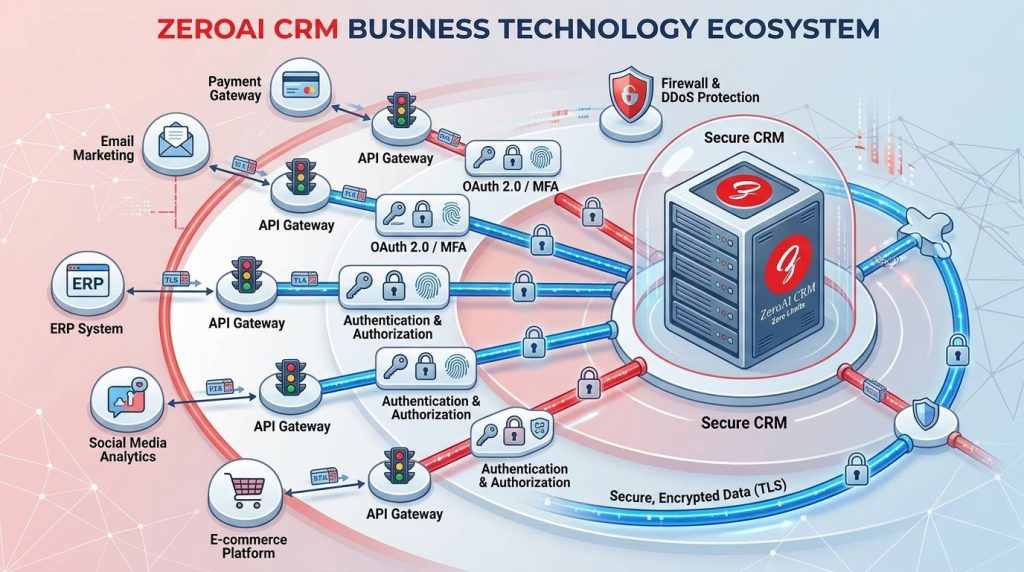
APIs are the foundation of modern software.
They allow different systems to communicate and exchange information automatically.
However, poorly managed API access can create security risks:
- Unprotected credentials
- Lost API keys
- Unknown application activity
- Unauthorized access attempts
- Difficult security audits
Businesses need a simple way to manage who can connect, what they can access, and how those connections are being used.
Secure API Access provides that control.
Cryptographically Secure Token Authentication
At the heart of ZeroAI CRM API Access is secure token-based authentication.
Each API token is generated using cryptographically secure random values, making tokens extremely difficult to guess or compromise.
Instead of sharing usernames and passwords, integrations can use secure authentication tokens designed specifically for API communication.
Benefits include:
- Stronger security
- Better access control
- Easier integration management
- Reduced credential exposure
Your integrations get the access they need while your CRM data stays protected.
Complete API Token Management
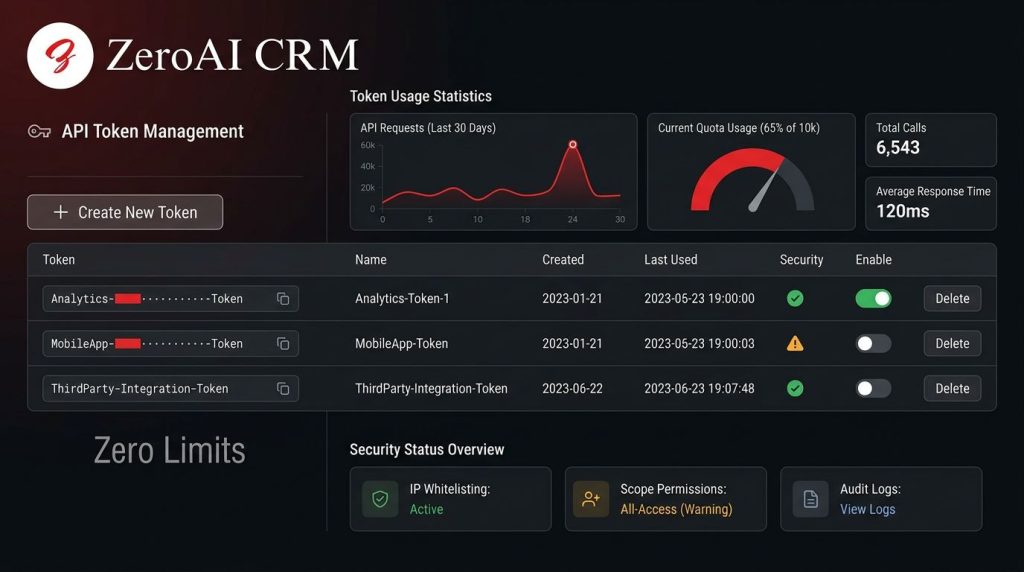
Managing API credentials should not be complicated.
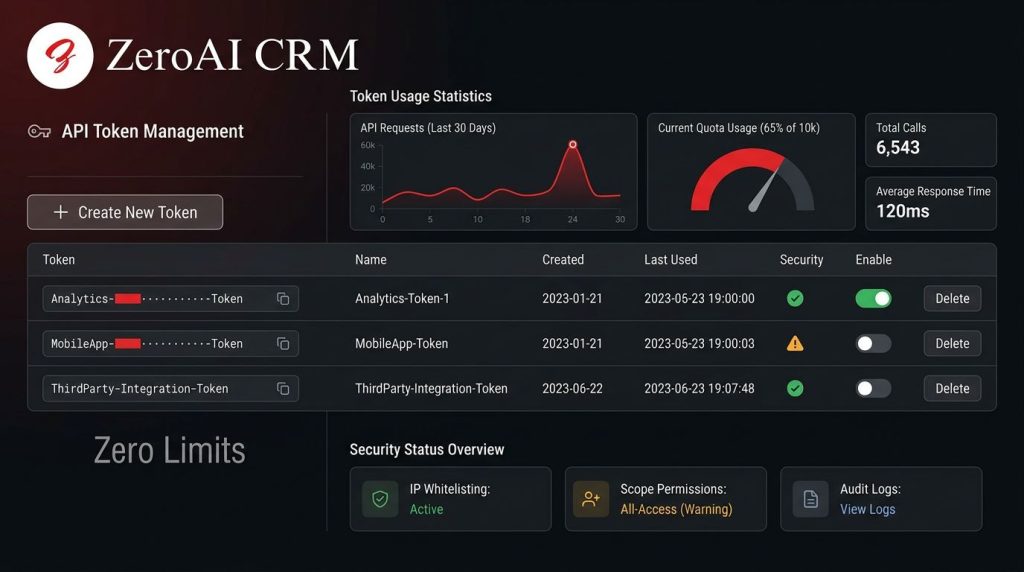
The ZeroAI API Access dashboard gives administrators complete control over tokens.
Create Secure Tokens
Generate dedicated 64-character cryptographically secure tokens for applications and integrations.
Each token can be assigned to specific use cases, making access easier to manage.
Enable and Disable Tokens
Need to temporarily stop an integration?
Administrators can disable tokens without deleting them.
This provides flexibility when:
- Testing integrations
- Investigating security concerns
- Temporarily restricting access
- Managing application changes
Easy Token Copying
Tokens can be copied directly from the dashboard, simplifying the setup process when connecting external applications.
Built-In API Documentation
Developers need clear information to build reliable integrations.
ZeroAI CRM includes built-in API documentation that provides:
- Available endpoints
- Authentication instructions
- Request examples
- Integration guidance
Instead of searching through separate documentation systems, developers have everything they need directly inside the CRM environment.
Monitor Every API Connection
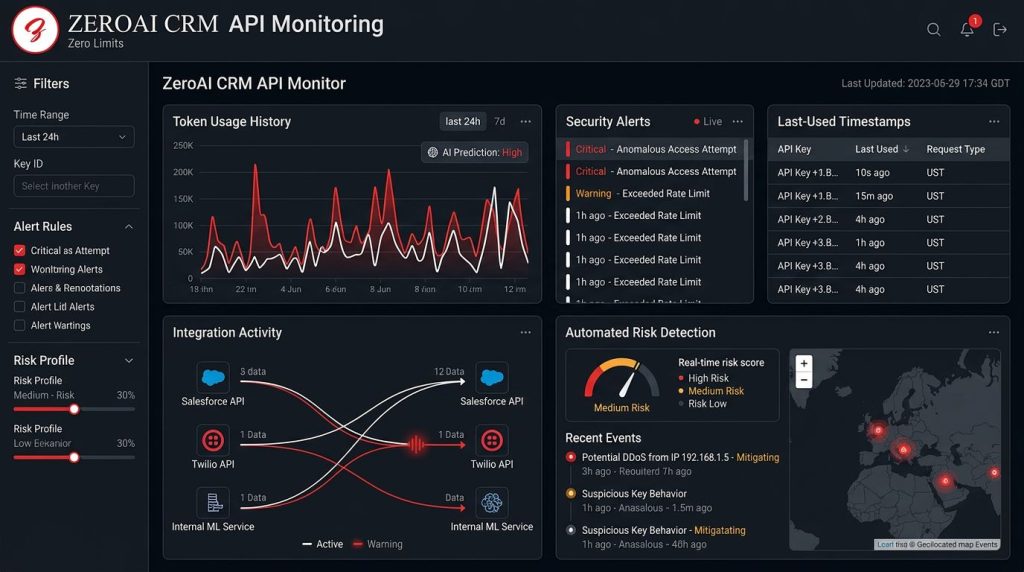
Security requires visibility.
The API Activity Monitoring system helps businesses understand how their integrations are being used.
Track:
- API usage statistics
- Last-used timestamps
- Days since token activity
- Security warnings
- Integration activity
This helps administrators quickly identify unusual behavior or outdated access.
Detect and Manage Inactive Tokens
Unused credentials create unnecessary security risks.
ZeroAI CRM helps identify inactive tokens so administrators can review and clean up access.
Businesses can:
- Find unused tokens
- Remove unnecessary access
- Improve security posture
- Maintain better API hygiene
A secure system is one that stays organized.
IP Whitelisting for Additional Protection
Security does not stop with authentication.
ZeroAI API Access includes IP whitelisting, allowing administrators to control which locations can access CRM APIs.
Organizations can:
- Allow trusted IP addresses
- Block unknown sources
- Reduce unauthorized access risks
- Add another security layer
This gives businesses greater confidence when connecting external systems.
Track Internal Integration Usage
Large organizations often have many integrations running simultaneously.
Knowing which systems use which credentials is essential.
ZeroAI CRM tracks:
- Which integrations use tokens
- Token activity history
- Application usage patterns
- Access relationships
This improves both security and operational visibility.
Automatic Installation Across Tenants
Getting started should be simple.
The API Access integration is designed for automatic installation across ZeroAI CRM tenants.
It supports:
- Bearer authentication headers
- Query parameter authentication
- External application connections
- Automated API workflows
Businesses can quickly enable secure integrations without complicated setup procedures.
Built for the Future of Connected AI Businesses
The future of business depends on connected systems.
AI agents.
Automation workflows.
Customer platforms.
External applications.
All of these require secure communication.
ZeroAI CRM Secure API Access creates the foundation for a connected business ecosystem where integrations are powerful, controlled, and protected.
Real Business Benefits
Protect Sensitive Data
Secure tokens and access controls reduce exposure risks.
Improve Integration Management
Manage every API connection from one central location.
Increase Visibility
Monitor activity and understand how integrations are being used.
Build With Confidence
Connect external applications while maintaining enterprise-level security.
Start Securing Your API Access Today
ZeroAI CRM Secure API Access gives businesses the tools they need to safely expand their technology ecosystem.
Manage your tokens.
Monitor your integrations.
Protect your data.
Build smarter connections with ZeroAI BOSS.
Your integrations should work for your business — securely.